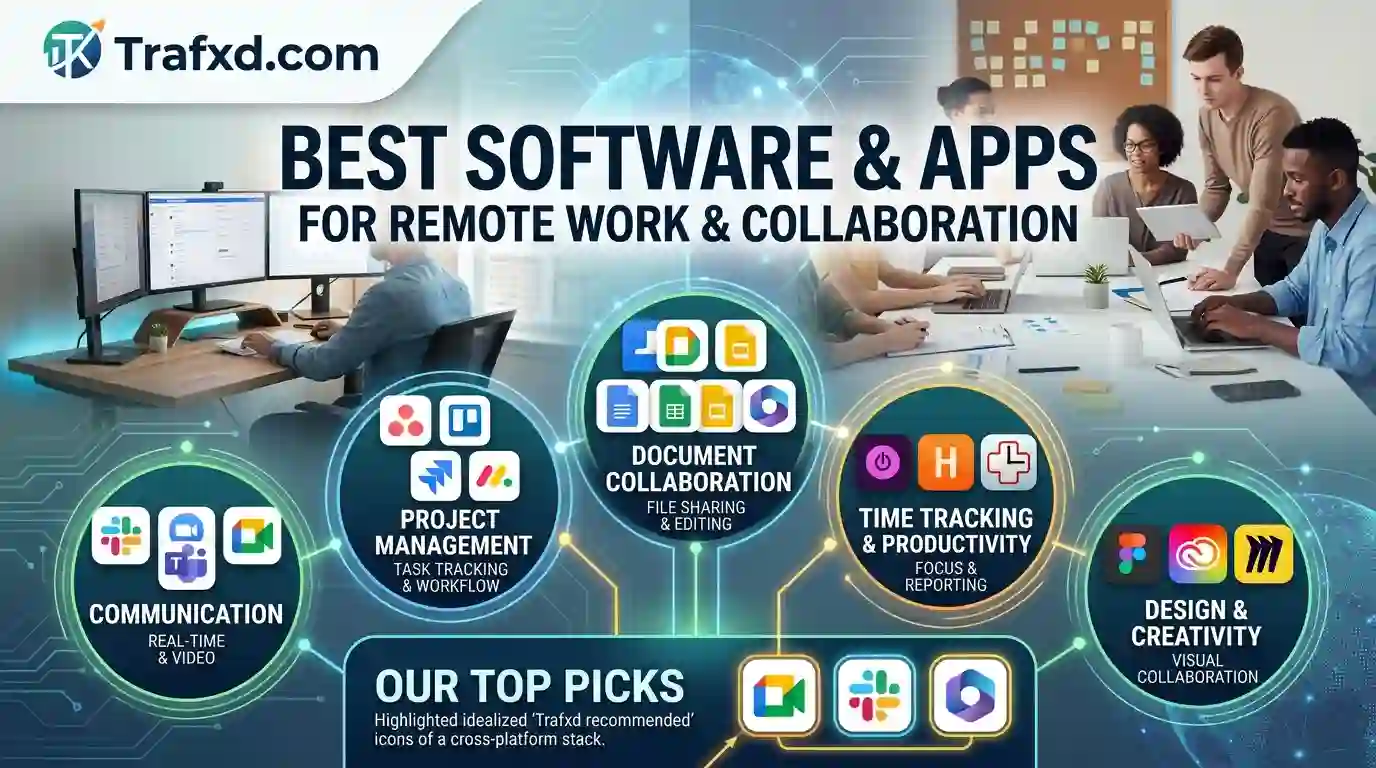
Best Software & Apps For Remote Work And Collaboration
Imagine starting your workday with 15 unread messages, three different spreadsheets, a missed meeting, and no idea which version of the project is the latest.
That’s the reality of remote work without the right tools.
Working from home sounds simple—open your laptop, finish your tasks, and close it at the end of the day. But when your team works from different cities, countries, and time zones, communication can quickly become messy. Remote work has become much easier with the right digital tools. If you’re looking for more solutions to manage your business, projects, and daily workflow, check out our guide to the best SaaS products for small businesses.
In this guide, we’ll explore the best software for remote work and collaboration, covering communication and video conferencing, project management, file sharing, and productivity tools. Whether you’re a freelancer, small business owner, or part of a large remote team, you’ll find tools that can make your workday smoother.
Why Do Remote Teams Need the Right Apps?
Remote teams cannot simply walk over to a colleague’s desk when they have a question. They need digital communication channels that make teamwork simple and transparent.
Collaboration software provides a central place for employees to communicate, manage tasks, share files, and monitor projects. Instead of depending on long email chains, team members can use chat applications, project boards, shared documents, and video meetings.
For example, a marketing team might use one application for daily communication, another for managing content deadlines, and a cloud storage platform for sharing images and documents.
The goal is not to use as many applications as possible. Instead, businesses should choose tools that solve specific problems without complicating workflows.
1. Slack for Team Communication
Slack is one of the most popular communication platforms for remote teams. It organizes conversations into channels, making it easier to separate discussions by project, department, or topic.
For example, a company can create separate channels for marketing, customer support, website development, and general announcements. Employees can also send private messages when they need to discuss something directly.
Slack can be particularly useful for remote teams seeking the best communication tools, as it reduces reliance on email for everyday conversations.
Useful features include:
- Team channels
- Direct messaging
- File sharing
- Notifications
- Searchable conversations
- Integration with other workplace applications
However, teams should establish communication rules. Too many notifications can become distracting, especially when employees are working across different time zones.
2. Microsoft Teams for Communication and Meetings
Microsoft Teams combines communication, meetings, file sharing, and collaboration features into a single platform. It can work particularly well for organizations already using Microsoft 365.
Employees can create teams and channels, communicate through messages, organize video meetings, and collaborate on documents.
For companies seeking remote team collaboration tools, Microsoft Teams can provide a centralized workspace, eliminating the need for employees to switch between multiple applications.
It can also help managers organize meetings and maintain communication with distributed employees.
3. Zoom for Virtual Meetings
Video meetings remain important for remote businesses. Zoom is widely used for online meetings, presentations, training sessions, interviews, and team discussions.
A good video conferencing platform allows remote employees to communicate face-to-face even when they are working from different locations.
Zoom can be useful for:
- Weekly team meetings
- Client presentations
- Online training
- Job interviews
- Team discussions
- Webinars
However, not every conversation needs a video call. Businesses can improve productivity by using chat or project-management tools for simple questions and reserving meetings for discussions that genuinely require real-time interaction.
4. Trello for Simple Project Management
Trello uses boards, lists, and cards to organize tasks visually. This approach makes it easy for team members to see what needs to be completed, what is currently in progress, and what has already been finished.
For example, a content team could create lists called:
Ideas → Writing → Editing → SEO → Published
Each article can have its own card containing deadlines, descriptions, checklists, and attachments.
This makes Trello a useful option for people searching for remote teams.
Trello works especially well for small teams that want a simple visual system rather than a complicated project-management platform.
5. Asana for Managing Complex Projects
Asana is another popular project-management platform designed to help teams organize tasks and projects.
Teams can create tasks, assign responsibilities, add deadlines, and monitor project progress. This can be particularly useful when several people are working on different parts of the same project.
For example, a website redesign may involve writers, designers, developers, SEO specialists, and project managers. Each person can receive specific tasks while managers can monitor overall progress.
Asana can help businesses looking for software to manage remote employees by making it easier to track responsibilities and deadlines.
6. Notion for Organizing Knowledge
Notion combines notes, documents, databases, project information, and team knowledge into a single workspace.
Remote companies can use it to create:
- Company guidelines
- Employee onboarding documents
- Content calendars
- Project notes
- Meeting notes
- Standard operating procedures
- Internal knowledge bases
A centralized knowledge system is particularly valuable for remote employees because they cannot always ask a colleague for information in person.
Instead of repeatedly answering the same questions, businesses can create documentation that employees can access whenever they need it.
7. Google Workspace for Document Collaboration
Google Workspace includes tools such as Google Docs, Sheets, Slides, Drive, and Meet. These applications enable multiple people to work on documents online.
For example, several employees can edit a Google Doc simultaneously, leaving comments and suggestions for one another.
Cloud-based document collaboration is especially useful for distributed teams because employees do not need to email different versions of the same file.
Google Drive also provides a central location for storing and organizing important documents.
For teams seeking online collaboration tools, Google Workspace can be a practical solution because it integrates communication, productivity, and document management.
8. Microsoft 365 for Remote Productivity
Microsoft 365 offers familiar applications such as Word, Excel, PowerPoint, Outlook, and OneDrive, along with collaboration features.
Businesses that already depend on Microsoft applications may find it easier to keep their remote workflows within the same ecosystem.
OneDrive allows employees to store and access files online, while Microsoft applications support document creation and editing.
This can help organizations reduce compatibility problems and make it easier for employees to access important files from different devices.
9. Dropbox for File Sharing
Remote teams often need to exchange large documents, images, videos, presentations, and other files. Email attachments are not always convenient for this purpose.
Dropbox provides cloud storage and file-sharing capabilities that allow users to access files from different devices.
It can be useful for creative teams, marketing agencies, freelancers, and businesses that frequently exchange large files.
A well-organized cloud storage system can also make it easier to locate older documents instead of searching through email conversations.
10. Time-Tracking Tools for Remote Teams
Time management can become challenging when employees work independently. Time-tracking software can help freelancers and businesses understand how much time is spent on different tasks.
These tools can be useful for:
- Tracking project hours
- Managing freelance work
- Preparing client invoices
- Understanding productivity patterns
- Monitoring project budgets
However, businesses should use time tracking responsibly. The goal should be better planning and workload management rather than creating unnecessary pressure for employees.
How to Choose the Right Remote Work Software
There is no single application that works perfectly for every business. The right choice depends on team size, budget, workflow, industry, and communication requirements.
Before selecting a tool, consider these factors.
1. Team Size
A small team may only need communication, cloud storage, and basic task management. Larger organizations may require advanced project management, permissions, reporting, and administrative controls.
2. Ease of Use
Software should make work easier rather than creating another problem. If employees need extensive training before they can use a platform, adoption may become difficult.
Choose applications with simple interfaces and clear navigation.
3. Integration
Your applications should work well together.
For example, a communication platform that integrates with project management software can automatically notify employees of important updates.
Integration reduces repetitive work and prevents employees from constantly switching between applications.
4. Security
Remote employees may access company information from different locations and devices. Therefore, security should be an important consideration.
Look for features such as secure authentication, access controls, encryption, permissions, and administrative management.
5. Pricing
Many remote work applications offer free plans, but advanced features may require paid subscriptions.
Before choosing a platform, compare the features included in each plan and calculate the total cost based on the number of users.
Remote Work Apps for Every Type of Needs
Different teams have different requirements. A freelancer may not need the same software as a company with 200 employees.
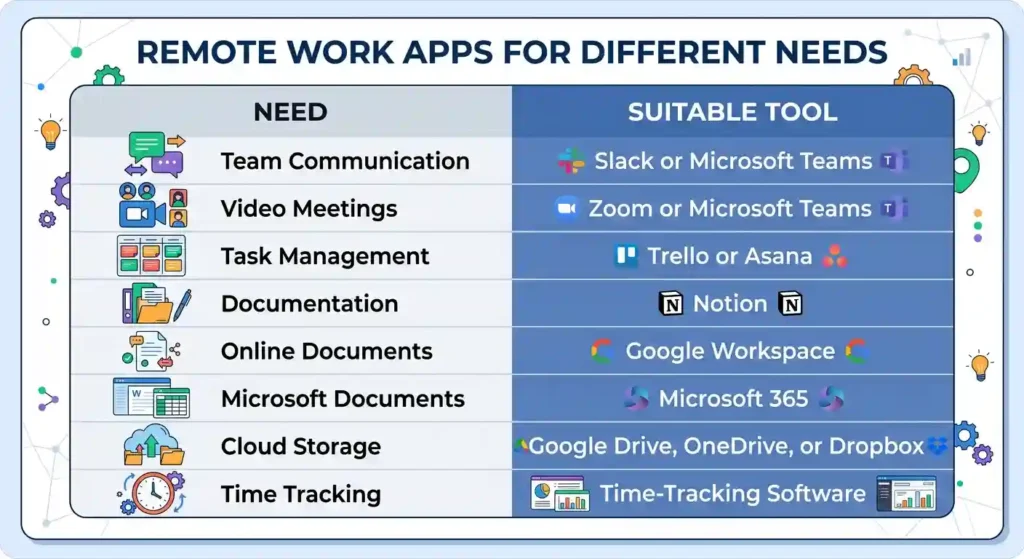
The key is to build a simple technology stack rather than subscribing to every popular application.
How Collaboration Apps Improve Remote Productivity
The best software for remote work and collaboration should solve real workplace problems.
For example, project-management software can show employees exactly what they need to complete. Communication platforms can reduce unnecessary emails. Cloud storage can prevent confusion caused by multiple versions of a document.
Together, these tools create a more structured working environment.
Remote employees can also benefit from clear workflows. A project should have defined responsibilities, deadlines, communication channels, and documentation.
When everyone understands where information belongs, the team spends less time searching for updates.
Tips for Successful Remote Collaboration
Technology alone does not guarantee productive teamwork. Teams also need clear communication habits.
First, establish which platform employees should use for different types of communication.
For example, urgent questions may belong in the team chat, project updates can go in the project management platform, and important company documents can remain in cloud storage.
Second, create clear deadlines and responsibilities. Every important task should have an owner and a realistic completion date.
Third, document important decisions. Remote employees may work at different times, so written documentation helps everyone stay informed.
Finally, respect working hours and time zones. Not every message requires an immediate response.