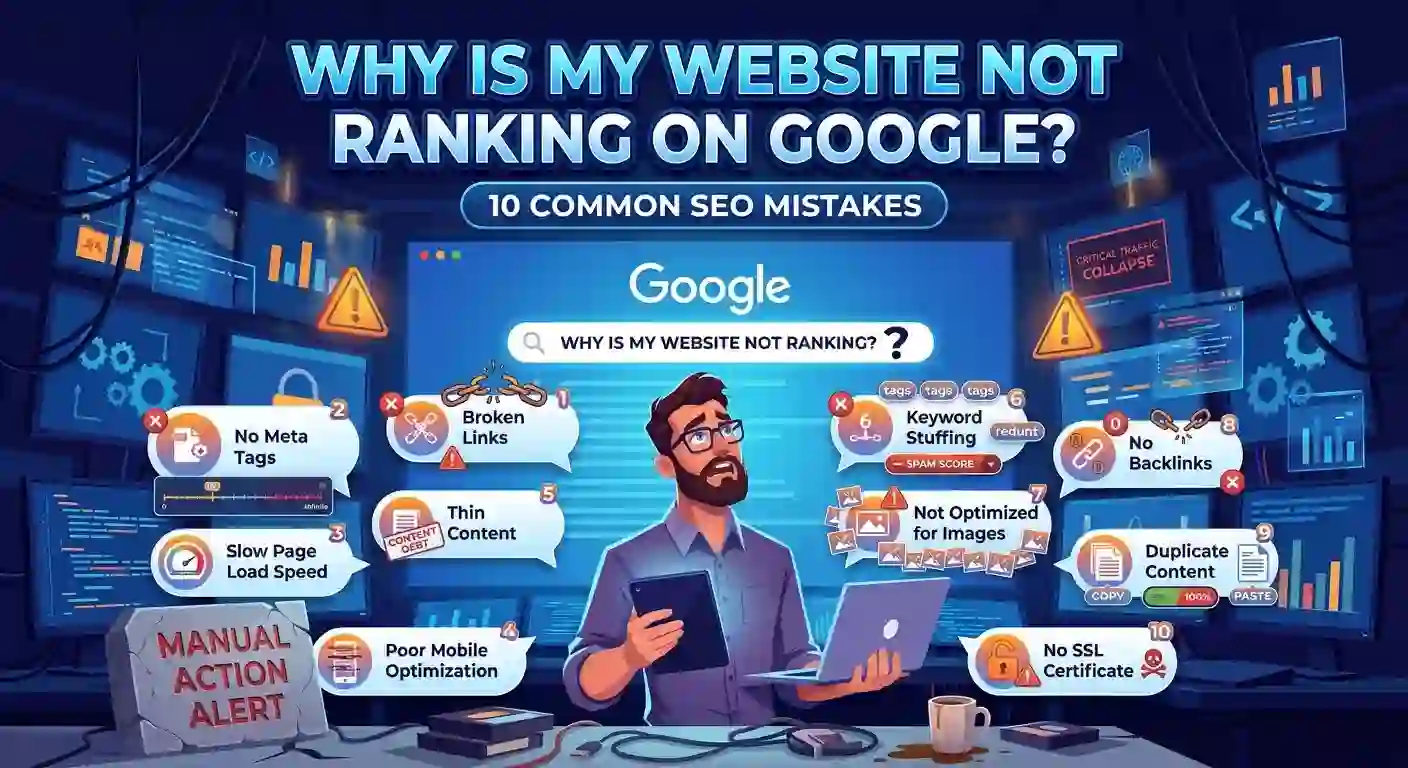
Why Is My Website Not Ranking On Google? 10 SEO Mistakes
You publish a blog post, optimize a few headings, add keywords, and wait for Google to notice your hard work. Days turn into weeks, but your website still receives little traffic. Sound familiar?
If your website is not ranking on Google, the problem might not be your content alone. A page can be well-written yet struggle to appear in search results because of technical errors, poor keyword targeting, weak internal links, or a mismatch between what users want and what your page offers. If you’re still learning the fundamentals, start with a complete SEO guide to understand how it works.
The good news? You do not always need expensive SEO tools or a complete website redesign to make improvements. Sometimes, fixing a few overlooked issues can make a meaningful difference.
In this guide, we will explore 10 common SEO mistakes that can hold your website back, explain how to identify them, and share practical ways to fix them.
1. Targeting Keywords That Are Too Competitive
One common mistake is choosing keywords based on popularity rather than ranking potential.
For example, a new website targeting SEO will compete with established websites that have extensive content and strong backlink profiles. Winning those searches can be difficult.
How to fix it:
- Research long-tail keywords with more specific search intent.
- Analyze competing pages before choosing a keyword.
- Consider your website’s authority and topical relevance.
- Target realistic opportunities before pursuing broader terms.
Instead of targeting SEO services, a new website might explore a more specific phrase such as SEO services for small business websites.
Remember, low competition does not guarantee easy rankings. Choose keywords that match your services and audience, not just those with attractive metrics.
2. Publishing Content That Offers Nothing New
Imagine searching for a solution and finding five articles that say exactly the same thing. Would you spend much time reading the sixth?
Your visitors may feel the same way.
Content that repeats general advice without useful explanations, examples, or original insights gives readers little reason to choose your page over competing results.
How to fix it:
- Answer the reader’s main question early.
- Include practical examples and step-by-step instructions.
- Explain mistakes that beginners commonly make.
- Update outdated information.
- Remove unnecessary paragraphs that add no value.
Before publishing, ask yourself: What will readers learn from this article that they cannot easily get from every other page?
That question can help you create content that deserves attention.
3. Ignoring Search Intent
A keyword may look perfect in a research tool, but the wrong content format can still make it difficult to rank.
Consider someone searching for how to fix website indexing issues. They probably want a troubleshooting guide, not a sales page describing SEO packages.
Google aims to provide results that satisfy searchers’ needs. Your content should therefore match the purpose behind the query.
How to fix it:
Search your target keyword and examine the results. Are the top pages tutorials, product comparisons, service pages, or informational articles?
Use those results to understand the expected format, then create something genuinely helpful.
For example, an informational keyword generally suits an educational blog post, while a keyword expressing a desire to hire an SEO specialist may suit a service page.
4. Overlooking Basic On-Page SEO
You can write an excellent article and still make it difficult for readers and search engines to understand its main topic.
Poor titles, confusing headings, and weak page organization can reduce clarity and make the page less appealing in search results.
How to fix it:
- Write a descriptive title that reflects the page’s topic.
- Use one clear H1 heading.
- Organize the content with relevant H2 and H3 headings.
- Write a useful meta description.
- Include your primary keyword naturally.
- Add descriptive alt text to meaningful images.
Avoid forcing your focus keyphrase into every heading. Natural language and clear explanations matter more than repetitive keyword placement.
If you use WordPress, an SEO plugin such as Yoast SEO can help you review important on-page elements.
5. Letting Technical SEO Problems Go Unnoticed
Sometimes, your content is ready to rank, but Google cannot properly access or index it.
A page might contain a `noindex` directive, have an accidental crawl restriction, or experience indexing problems. An incorrect canonical tag can also influence which URL Google selects for indexing.
How to fix it:
Start with Google Search Console.
1. Open the Page Indexing report.
2. Review pages that are not indexed.
3. Inspect the URLs you want Google to rank.
4. Check for unintended `noindex` directives and crawl restrictions.
5. Verify canonical tags and relevant redirects.
6. Check that your XML sitemap contains the correct, indexable URLs.
Not every excluded URL represents an error. Redirected pages, duplicate URLs, and intentionally excluded pages may be perfectly normal.
Focus on important pages that should appear in Google but do not.
6. Providing a Poor Mobile or Page Experience
Visitors rarely enjoy waiting for a slow website or struggling to read text on a small screen.
Large images, unnecessary scripts, excessive plugins, and poorly configured caching can contribute to performance problems.
Although speed is not the only ranking consideration, page experience can affect usability and is worth improving.
How to fix it:
- Compress oversized images.
- Use an efficient caching setup.
- Remove unnecessary plugins and scripts.
- Check whether your layout works properly on mobile devices.
- Test important pages with Google PageSpeed Insights.
- If your website runs on WordPress, review your theme, plugins, images, and hosting before making major changes.
Aim for a website that feels fast and easy to use, rather than chasing a perfect performance score at any cost.
7. Ignoring Relevant Backlinks
Backlinks are links from other websites to your pages. Relevant, editorially earned backlinks can help Google understand your content’s reputation and importance.
However, collecting hundreds of low-quality links will not automatically improve your rankings. Manipulative link-building tactics can create additional risks.
How to fix it:
- Publish useful resources that other websites may want to reference.
- Build relationships with relevant website owners.
- Contribute genuinely valuable guest articles.
- Earn links through original research, guides, and helpful resources.
- Review your existing backlink profile when necessary.
For example, an article explaining how to resolve common WordPress SEO problems could attract links from websites that help beginners manage their sites.
Focus on relevance and genuine value instead of chasing domain authority numbers alone.
8. Forgetting to Connect Related Articles
Publishing several useful articles is a good start, but leaving them disconnected can make your website harder to navigate.
Internal links connect related pages on your own website. They help readers discover additional information and help search engines find and understand your content.
How to fix it:
Suppose your website covers SEO. You could connect articles about keyword research, technical SEO, on-page optimization, and link building.
When discussing keyword selection, link to your detailed keyword research guide if you have one. When explaining indexing issues, link to your technical SEO article.
Use descriptive anchor text that tells readers what they will find.
This approach also supports a topic cluster: a central pillar page supported by related articles that explore individual subjects in greater detail.
9. Publishing Without a Clear Content Strategy
Randomly publishing articles about unrelated subjects can make it harder to develop a focused website and serve a consistent audience.
For example, a website targeting small business owners might publish one article about technical SEO, another about celebrity news, and another about unrelated travel destinations. These topics do not naturally support the same audience or business goals.
How to fix it:
- Identify your primary audience.
- Select a few relevant content pillars.
- Research keywords within those topics.
- Create supporting cluster articles.
- Link related articles together.
- Review existing content before targeting the same keyword again.
For Trafxd.com, SEO, WordPress development, and digital growth are relevant topic areas.
A focused content strategy helps you build useful resources around the problems your audience actually wants to solve.
10. Expecting SEO Results Overnight
SEO is not an instant process. Publishing an article today does not mean it will rank tomorrow.
Google needs to discover, crawl, and potentially index your page. Rankings can then change depending on competition, content relevance, website signals, and many other factors.
Some pages gain visibility relatively quickly, while others take considerably longer.
How to fix it:
Give your content time to gather performance data, but do not simply publish and forget about it.
Use Google Search Console to monitor:
- Impressions and clicks.
- Average search position.
- Queries bringing visitors to your pages.
- Pages receiving impressions but few clicks.
- Important URLs that remain unindexed.
If a page receives impressions but few clicks, review whether its title and description accurately communicate its value. If it receives little visibility, investigate keyword targeting, content quality, indexing, and competition before making changes.
Make decisions based on evidence rather than changing everything at once.
How to Diagnose Your Website’s Ranking Problems
If you are unsure where to begin, use this simple troubleshooting sequence:
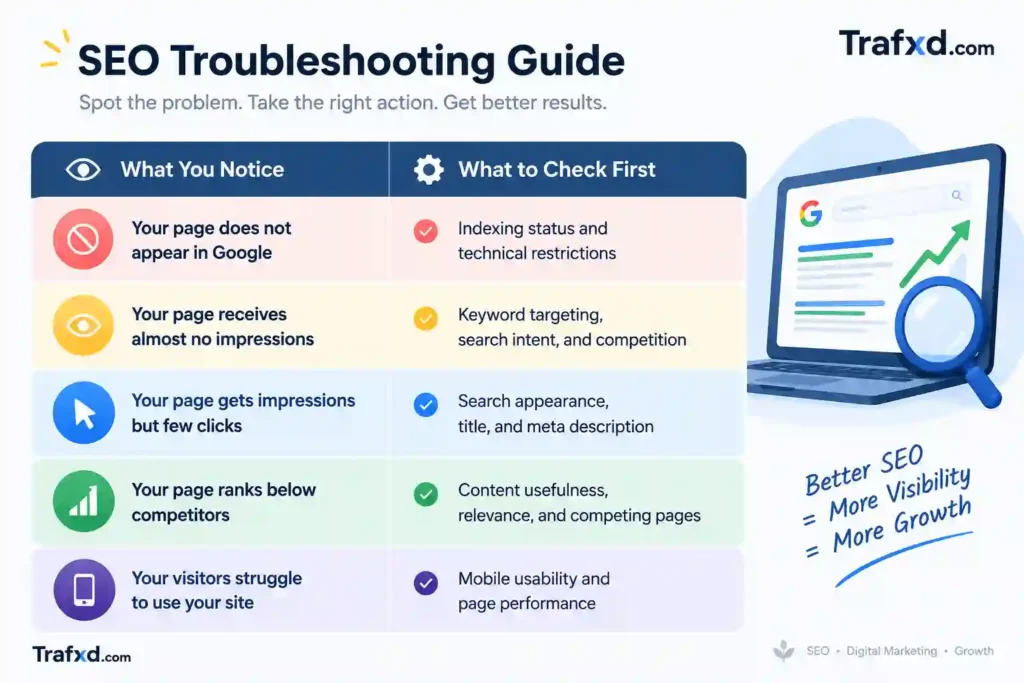
These are starting points, not guaranteed diagnoses. A website can experience several ranking problems simultaneously, so investigate the evidence before deciding what to fix.
Conclusion: Stop Guessing and Start Fixing Your SEO
If your website is not ranking on Google, publishing more articles is not always the answer. First, identify what is holding your pages back. You might need to improve keyword targeting, make your content more useful, resolve indexing problems, or connect related articles through internal links.
Start with the issues that affect your most important pages, make improvements carefully, and monitor the results through Google Search Console. SEO takes patience, but a clear strategy makes your efforts more productive.
Need help figuring out why your website isn’t ranking?
Don’t waste weeks guessing which SEO problem to fix first. Visit Trafxd.com for practical SEO and WordPress guidance. If you’re still struggling with rankings, indexing, technical errors, or keyword selection after reading this guide, contact us for help identifying the issues and planning your next steps. Let’s work toward making your website more visible on Google.
Frequently Asked Questions
1. How long does it take for a new website to rank on Google?
There is no fixed timeline. Results depend on factors such as competition, content quality, crawling, indexing, and the website’s overall situation. Some pages gain visibility sooner than others.
2. Can technical SEO problems prevent my website from ranking?
Yes. Issues such as unintended `noindex` directives, crawl restrictions, incorrect canonical tags, and server errors can prevent important pages from being indexed or understood correctly.
3. How do I check whether Google has indexed my website?
Use the URL Inspection tool in Google Search Console to check an individual page. The Page Indexing report provides a broader view of your site’s indexing status.
4. Do backlinks help websites rank higher on Google?
Relevant, naturally earned backlinks can support SEO. However, backlinks are only one part of the picture, and purchasing or creating manipulative links is not a reliable shortcut to better rankings.
5. How can I improve my website’s Google rankings for free?
Start with Google Search Console, improve content quality, target relevant keywords, fix technical issues, strengthen internal links, and make your website easier to use. These steps can help you identify opportunities without buying expensive SEO tools.