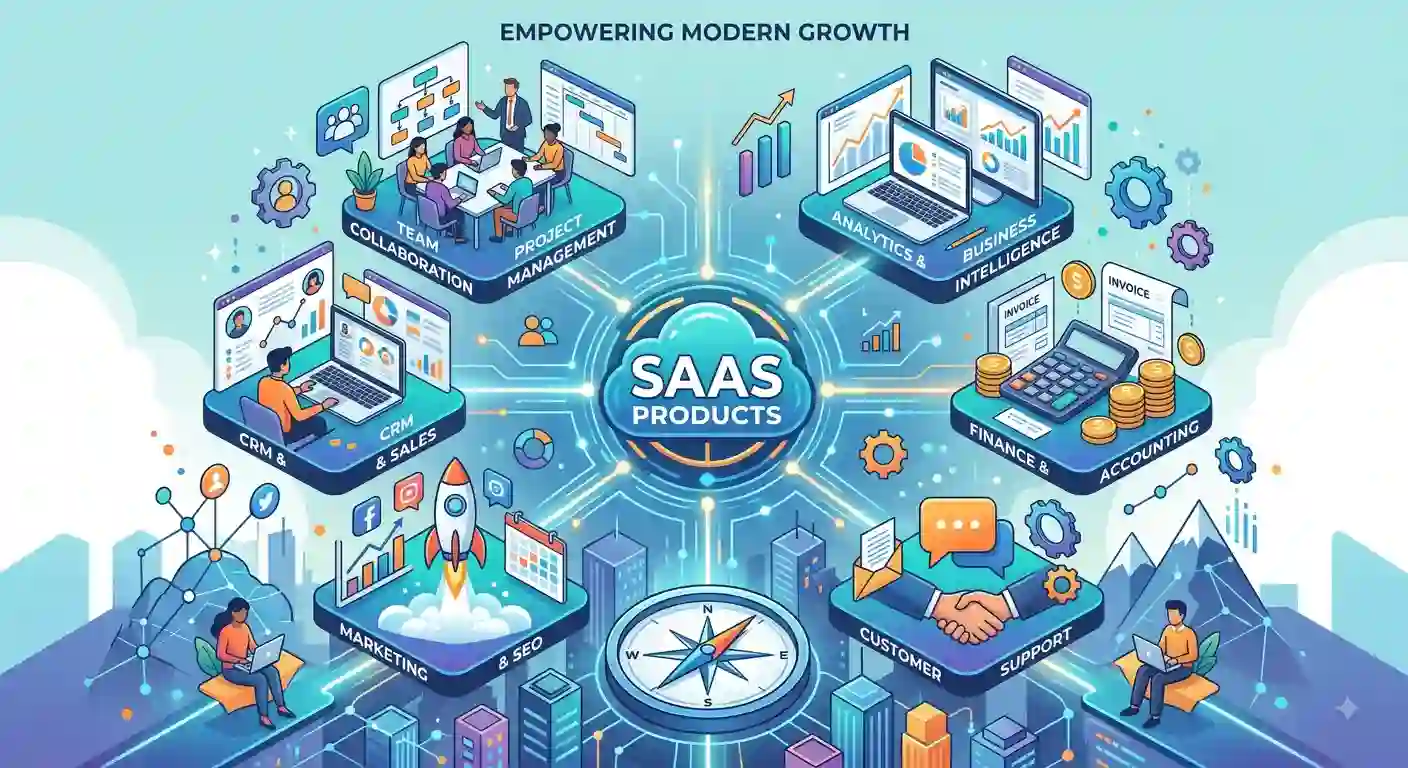
Best SaaS Products For Small Businesses & Freelancers
Running a business today does not always require expensive computers, large teams, or complicated office systems. With the right cloud-based software, small businesses, freelancers, and entrepreneurs can manage projects, communicate with customers, automate repetitive tasks, track finances, and improve productivity from almost anywhere.
That is where SaaS products come in. SaaS, or Software as a Service, allows users to access software over the internet, typically via a monthly or annual subscription. Instead of installing and maintaining complicated programs on a computer, users can log in through a browser or app and start working.
In this guide, we will explore the best SaaS products for small businesses, freelancers, entrepreneurs, and startups, as well as different types of software that can help save time, reduce costs, streamline workflows, and support business growth.
What Is SaaS?
SaaS stands for Software as a Service. It is a software delivery model in which an application is hosted by a provider and accessed over the internet.
For example, instead of purchasing a traditional program and installing it permanently on your computer, you might subscribe to an online platform and access your account whenever you need it.
Common SaaS categories include:
- Project management
- Customer relationship management
- Accounting and invoicing
- Email marketing
- Team communication
- File storage
- Business automation
- Time tracking
- Human resource management
- Website and content management
This model is particularly useful for small companies because it provides access to professional business software without a large upfront investment.
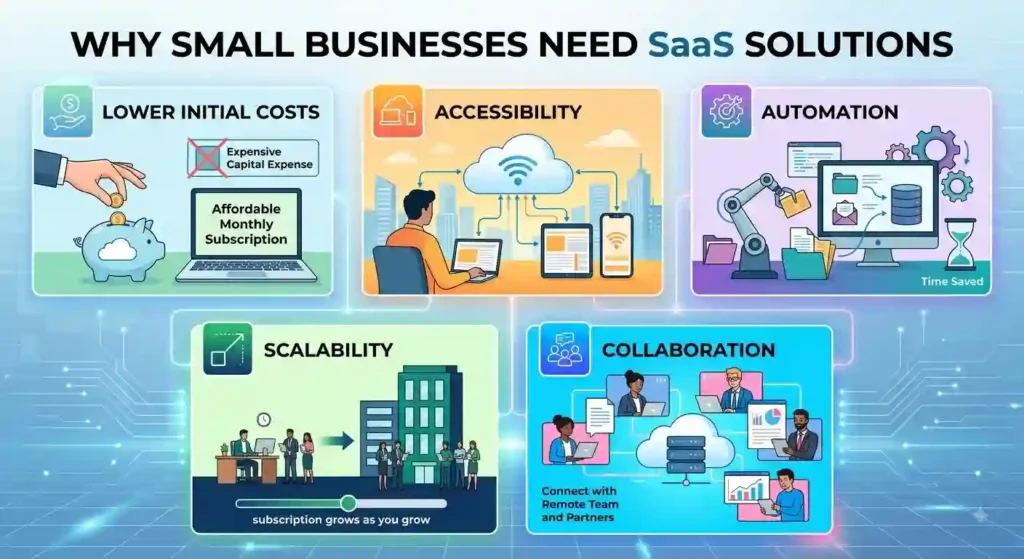
Why Small Businesses Need SaaS Solutions
Small business owners often have to manage many responsibilities at once. One person may handle marketing, customer communication, accounting, project planning, and administrative work. Many SaaS platforms now use AI tools to automate repetitive tasks, improve productivity, and help businesses make faster decisions
The right software can reduce this workload.
For example, a project management application can keep tasks organized, while an accounting platform can simplify invoices and expense tracking. Similarly, automation software can handle repetitive activities that would otherwise consume hours.
The biggest advantages include:
Best SaaS Products for Small Businesses
There is no single platform that is perfect for every organization. The best choice depends on the company’s size, industry, budget, and objectives.
However, several categories deserve attention when building a modern business technology stack.
1. Project Management Software
Managing several projects through spreadsheets, emails, and messages can quickly become confusing.
Project management software allows teams to create tasks, assign responsibilities, establish deadlines, monitor progress, and organize projects in one location.
These applications are particularly useful for agencies, online stores, service providers, consultants, and remote teams.
A small company can use this type of software to answer simple questions such as:
- What needs to be completed?
- Who is responsible for the task?
- When is the deadline?
- Which projects are currently active?
- What work has already been completed?
This makes project management applications an important part of a modern business workflow.
2. Customer Relationship Management Platforms
Customers are at the center of every business. However, keeping track of leads, conversations, follow-ups, and sales opportunities can become difficult as a company grows.
A customer relationship management platform, commonly called CRM software, provides a central location for managing customer information.
A business can use it to organize contacts, monitor sales opportunities, record interactions, and schedule follow-ups.
For entrepreneurs and small companies, this can be particularly valuable because losing track of a potential customer can mean losing a sale.
3. Accounting and Invoicing Software
Managing finances manually can be time-consuming.
Accounting platforms can help business owners organize income, expenses, invoices, payments, and financial records.
Freelancers can also benefit from invoicing applications, which help them create professional invoices and track outstanding payments.
Instead of searching through emails or spreadsheets, business owners can use one system to organize important financial information.
SaaS Tools for Freelancers
Freelancers have different needs from larger organizations. They may work independently, communicate directly with clients, manage several projects, send invoices, and market their services without an administrative team.
Fortunately, digital SaaS tools for freelancers can simplify many of these responsibilities.
1. Managing Projects and Clients
A freelancer might have five different clients with different deadlines. Without an organized system, it is easy to forget a task or miss an important deadline.
Project management applications can help independent professionals separate client work, create deadlines, and monitor progress.
Client management software can also keep important customer information organized.
2. Tracking Time and Invoices
Time is one of the most valuable resources for a freelancer.
Time-tracking software can help professionals understand how long they spend on different assignments. This can be especially useful when charging clients by the hour.
Invoice platforms can then help freelancers create professional payment requests and monitor outstanding amounts.
3. Improving Productivity
Freelancers often work without a manager telling them what to do next. As a result, productivity software can be extremely useful.
Calendar applications, task managers, note-taking systems, cloud storage, and communication platforms can create a structured digital workspace.
The goal is not to use dozens of applications. Instead, freelancers should choose a small number of reliable systems that solve their biggest problems.
SaaS Solutions for Entrepreneurs and Startups
Entrepreneurs and startup founders usually have limited time and resources. They need systems that can support growth without creating unnecessary complexity.
1. Business Management Software
Business management platforms can bring multiple activities into one digital environment.
Depending on the platform, entrepreneurs may be able to manage customers, projects, employees, finances, and workflows.
This can reduce the need to switch between numerous unrelated systems.
2. Marketing Automation
Promoting a business is another area where SaaS can make a major difference.
These automation solutions can help businesses schedule email campaigns, organize leads, monitor customer interactions, and manage repetitive marketing activities. In addition to automation, businesses can use social media marketing to build their brand and reach new customers.
For a startup with a small marketing team, automation can allow employees to spend more time developing strategies and creating valuable content.
3. Team Collaboration
Modern businesses increasingly rely on remote and hybrid teams.
Communication software allows employees to exchange messages, share files, hold meetings, and coordinate work without being physically present in the same office.
For startup teams, collaboration platforms can help create a central digital workplace.
Affordable SaaS Software for Small Businesses
Budget is one of the biggest concerns for new companies.
A business does not necessarily need an expensive software stack to operate efficiently. In many cases, low-cost business software can provide the essential functionality needed during the early stages.
When comparing subscription plans, look beyond the monthly price.
Consider:
- Number of users
- Storage limits
- Automation features
- Integration options
- Customer support
- Security features
- Scalability
- Contract requirements
- Free or trial availability
Some platforms offer free plans with limited features. These can be useful for testing an application before committing to a paid subscription.
However, “free” does not automatically mean “best.” A free platform that lacks an important feature could ultimately cost more time than a reasonably priced alternative.
Software to Automate Repetitive Business Tasks
One of the strongest reasons to adopt SaaS is automation.
Many businesses perform repetitive activities every day. For example, an employee might manually copy customer information from one system to another, repeatedly send the same follow-up email, or update spreadsheets after every transaction.
Automation platforms can connect different applications and trigger actions automatically.
For example:
Customer submits a form → information enters a database → notification is sent to the sales team → follow-up task is created.
A process like this can reduce manual work and help prevent mistakes.
For entrepreneurs, automation can be especially valuable because it allows a small team to accomplish work that might otherwise require additional employees.
Problem-Solving SaaS Applications
The best software should solve a genuine business problem rather than simply add another subscription.
- Before choosing an application, identify the problem first.
- If your biggest issue is missed deadlines, look for project management software.
- If customers are being forgotten, consider a CRM.
- If invoices are difficult to track, explore accounting and billing solutions.
- If employees spend too much time on repetitive work, investigate automation platforms.
- If remote workers struggle to communicate, consider collaboration software.
This approach is much better than purchasing software simply because it is popular.
How to Choose the Right SaaS Product for Small Business
Choosing the right platform requires more than looking at a list of features.
1. Identify Your Main Problem
Start by asking what you actually want to improve.
Do you need better customer management? Faster invoicing? Easier communication? Better productivity?
Once the problem is clear, finding the appropriate software becomes much easier.
2. Check the Pricing
Compare the total cost rather than only the advertised starting price.
A platform may appear inexpensive initially but become expensive as you add users or unlock essential features.
3. Look for Integrations
Businesses often use several applications together.
For example, a CRM might need to connect with an email platform, while accounting software may need to work with a payment service.
Strong integration options can make your entire workflow smoother.
4. Consider Ease of Use
A powerful platform is not useful if your team cannot understand how to use it.
Look for intuitive interfaces, helpful documentation, training resources, and responsive customer support.
5. Think About Future Growth
Your business may be small today but significantly larger in the future.
Choose a system that can accommodate additional customers, employees, projects, or data without forcing you to completely change platforms later.
What Software Should a Startup Use?
There is no universal startup software package. A new company should begin with the systems it genuinely needs.
A basic startup technology stack might include:
- Project management software
- Accounting or invoicing software
- Customer management platform
- Communication application
- Cloud storage
- Marketing software
- Automation solution
- Security tools
As the company grows, additional systems can be introduced. The important principle is to avoid building an unnecessarily complex technology stack in the early stages and to use SaaS solutions for startups.
How SaaS Can Help Small Businesses Grow
SaaS does more than organize tasks. When used correctly, it can support business growth.
Automation reduces repetitive work. Analytics can provide useful insights. CRM platforms can improve customer follow-ups. Collaboration systems can support remote teams. Accounting applications can improve financial organization.
Together, these systems can create a more efficient business operation.
However, technology should support your strategy rather than replace it. A company can subscribe to dozens of applications and still struggle if it lacks a good product, strong customer service, or an effective marketing strategy.
Common Mistakes When Buying SaaS Software
Many business owners make similar mistakes when selecting online software.
1. Buying Too Many Applications
More software does not always mean greater productivity.
Using ten platforms that perform overlapping functions can create confusion.
2. Choosing Based Only on Price
The cheapest option may not provide the features or reliability your business requires.
3. Ignoring Data Security
Business owners should consider how a provider handles customer information, account access, backups, and security.
4. Not Testing Before Buying
Whenever possible, use a free trial or demonstration before committing to a long-term subscription.
5. Forgetting About Team Adoption
A system only creates value when people actually use it.
Make sure your employees understand why the new platform is being introduced and provide appropriate training.
Conclusion
The right SaaS solution can become an important part of a modern business. Whether you are running a small company, working independently, or building a startup, online software can help you organize work, automate repetitive activities, communicate with customers, and improve productivity.
However, the goal should not be to collect as many subscriptions as possible. Instead, choose software that solves specific problems and fits your budget, workflow, and long-term plans.
The best SaaS products for small businesses are ultimately the ones that make everyday operations easier while giving owners and teams more time to focus on customers, innovation, and growth.
Start with your biggest business challenge, find a platform that addresses it, test it carefully, and expand your technology stack only when there is a genuine need.
Frequently Asked Questions (FAQs)
1. What are the best SaaS tools for small businesses?
The best option depends on the business’s requirements. Project management, CRM, accounting, communication, marketing, and automation platforms are among the most useful categories for many small companies.
2. Which software is best for freelancers?
Freelancers can benefit from applications for project management, time tracking, invoicing, customer communication, file storage, and productivity.
3. How can SaaS help small businesses?
SaaS can help companies organize operations, automate repetitive tasks, collaborate remotely, manage customers, and reduce the need for expensive traditional software infrastructure.
4. Are SaaS platforms expensive?
Pricing varies considerably. Many providers offer free plans, affordable entry-level subscriptions, or flexible packages designed for small teams.
5. What digital tools does a freelancer need?
A freelancer generally needs tools for managing projects, communicating with clients, tracking time, creating invoices, storing files, and organizing daily tasks.
6. How do I choose software for a small business?
Start with your biggest operational problem, identify the features you need, compare pricing and integrations, test the platform, and consider whether it can support your future growth.